Designing a Real-Time, Data-Responsive Design System for E*TRADE
Design Systems · Creative Automation
E*TRADE needed a creative system that could move at the speed of the market. The ask was not just to design assets, but to build the infrastructure that makes producing those assets fast, consistent, and scalable across a global brand.
Duration: 2024 - PRESENT
Role: Lead Designer/Art Director
Tools used: Figma · After Effects · Blender · Celtra · Google Workspace · AI-assisted workflows
6→2
Templates built by multiple designers — inconsistent naming, files, and creative instincts
80+
Components built across 4 brand variants with unified naming across design and engineering
~60%
Estimated reduction in new banner build time after system deployment
6
Templates with 3+ variants each, across multiple platforms and formats
∞
Asset variations possible — the system scales with every new data input
Challenges
01
Templates built by multiple designers — inconsistent naming, files, and creative instincts
02
No existing tools capable of handling variable copy lengths, formats, and visual treatments at scale
03
Every message needing tailoring — offers, storytelling, product features, typographic & image-led layouts
04
The existing workflow required a manual handoff of animated banners to developers for hard-coding into HTML and JavaScript, creating a significant production bottleneck
HOW WE GOT THERE
01 - Audit
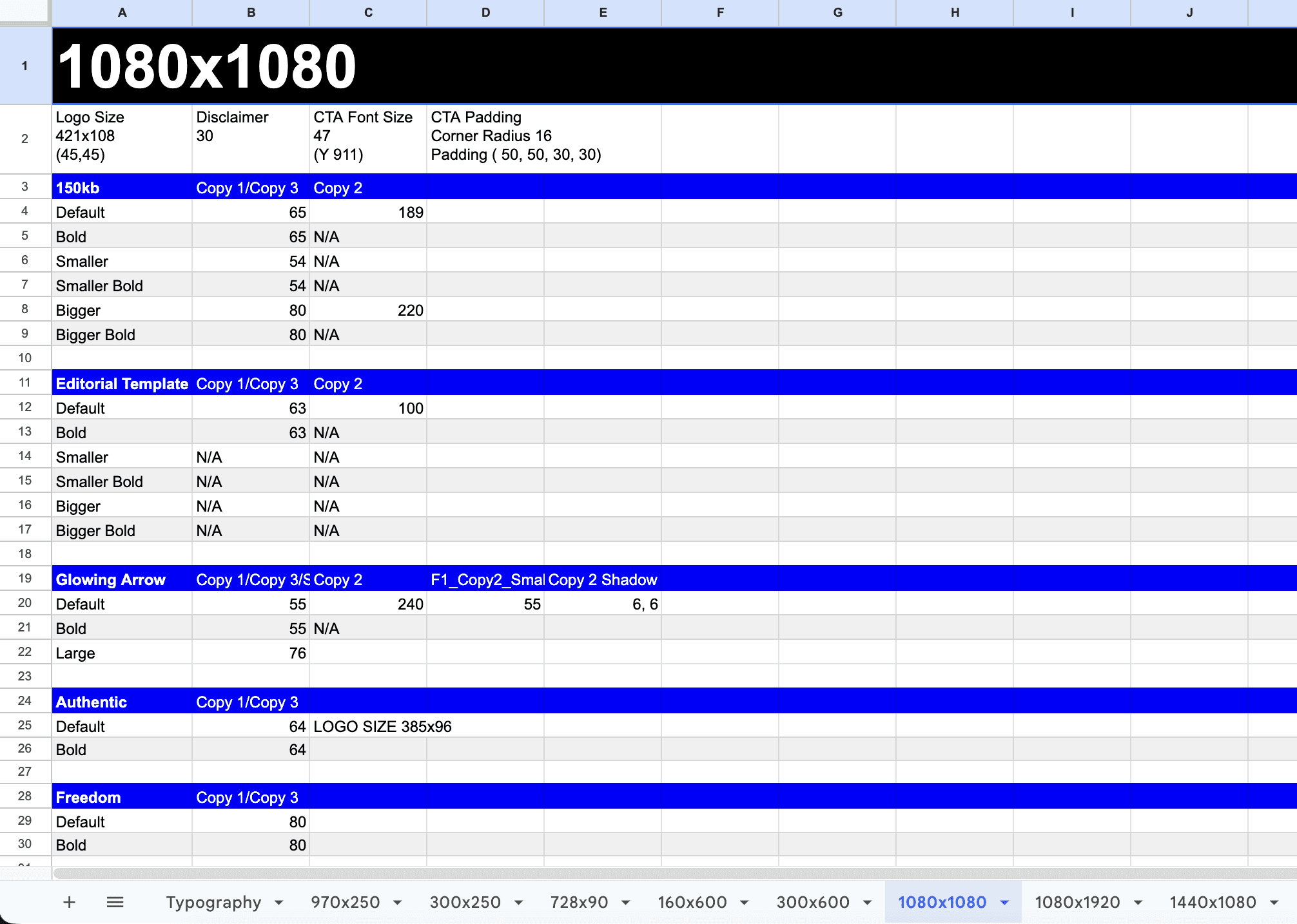
Audit all templates size by size
Inconsistencies identified in:
Logos & CTAs: Varied sizing and placement.
Typography: Inconsistent weights and sizes for headlines, body text, and disclaimers.
Layout: Irregular padding and spacing across modules.
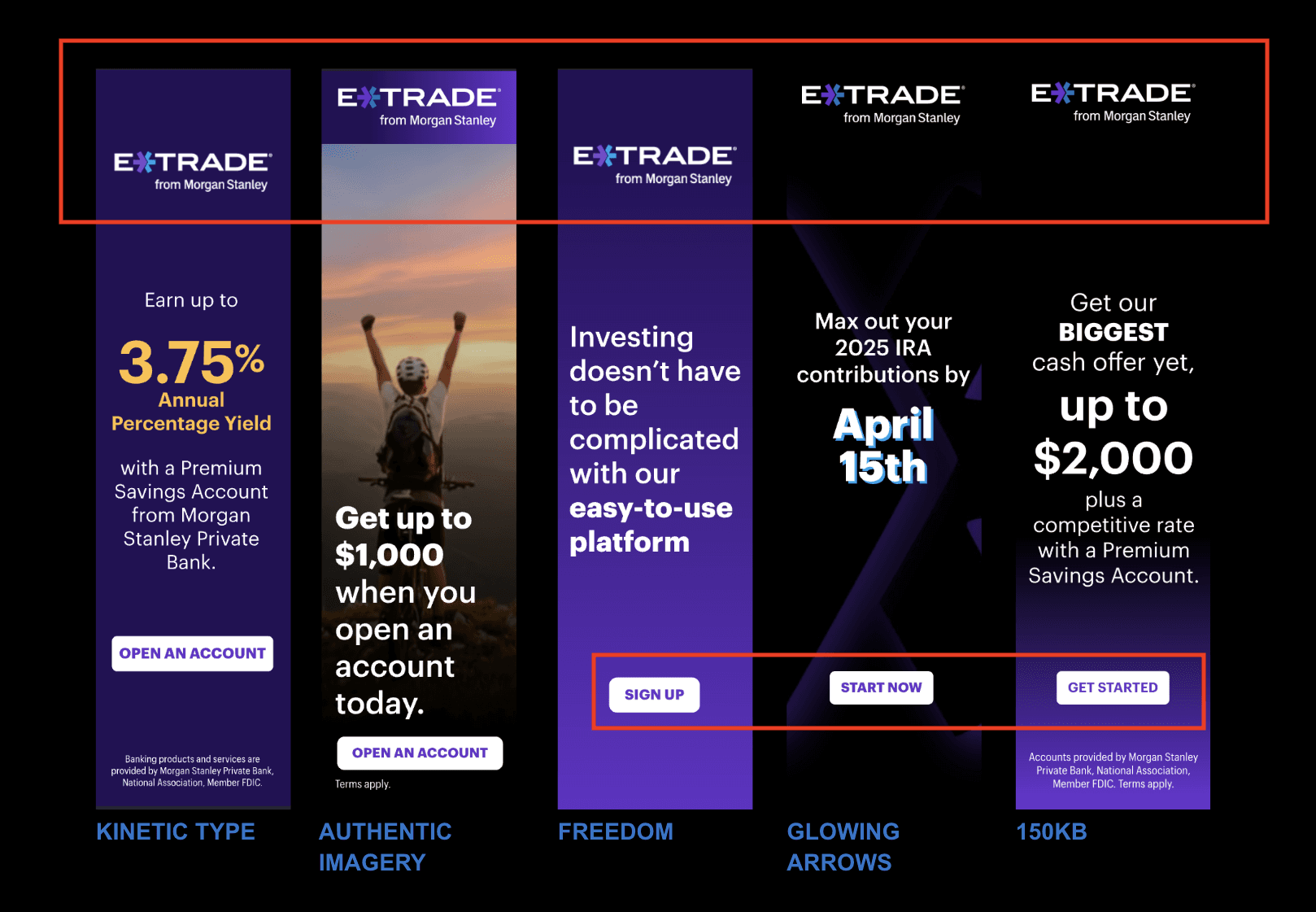
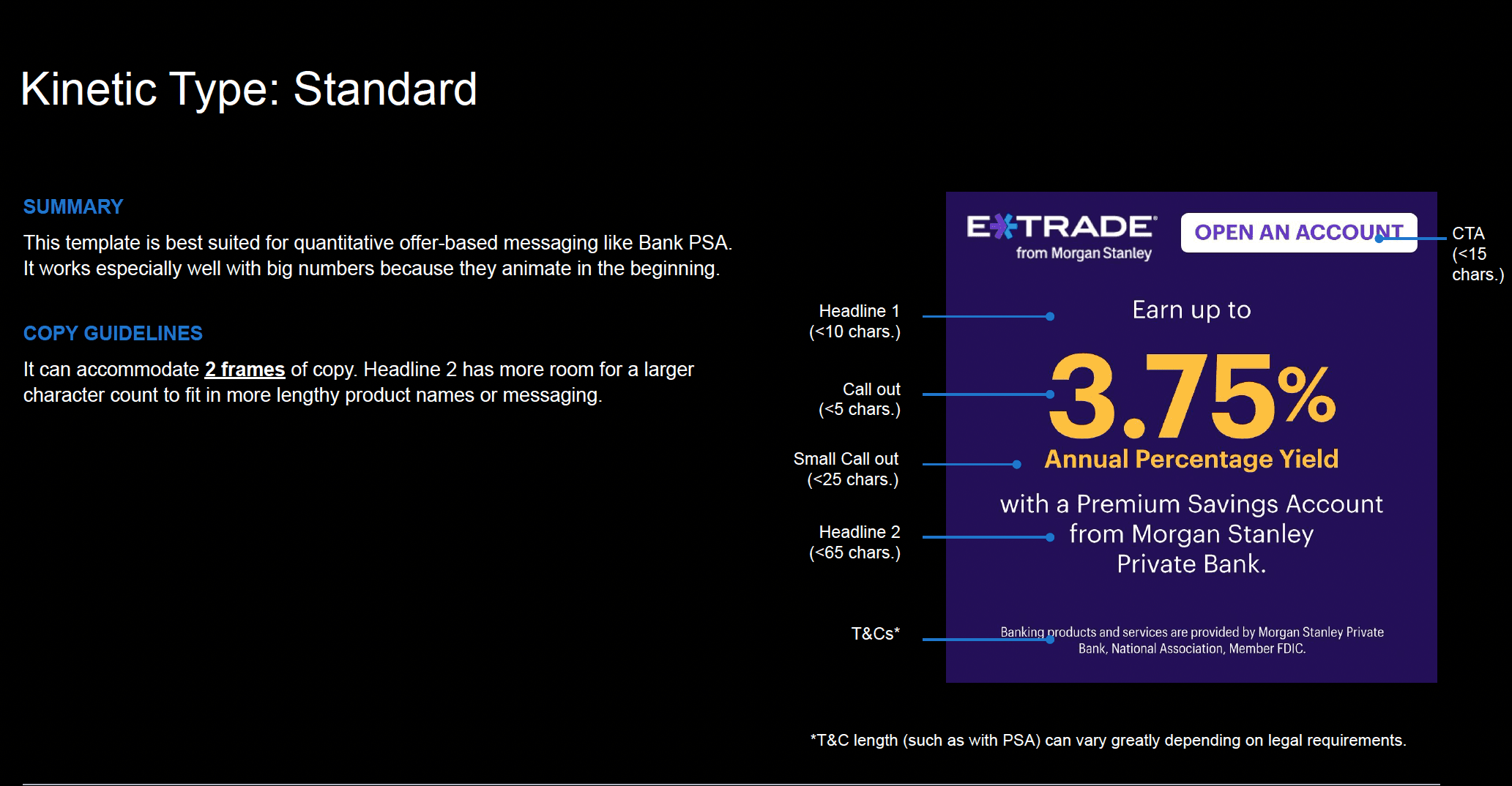
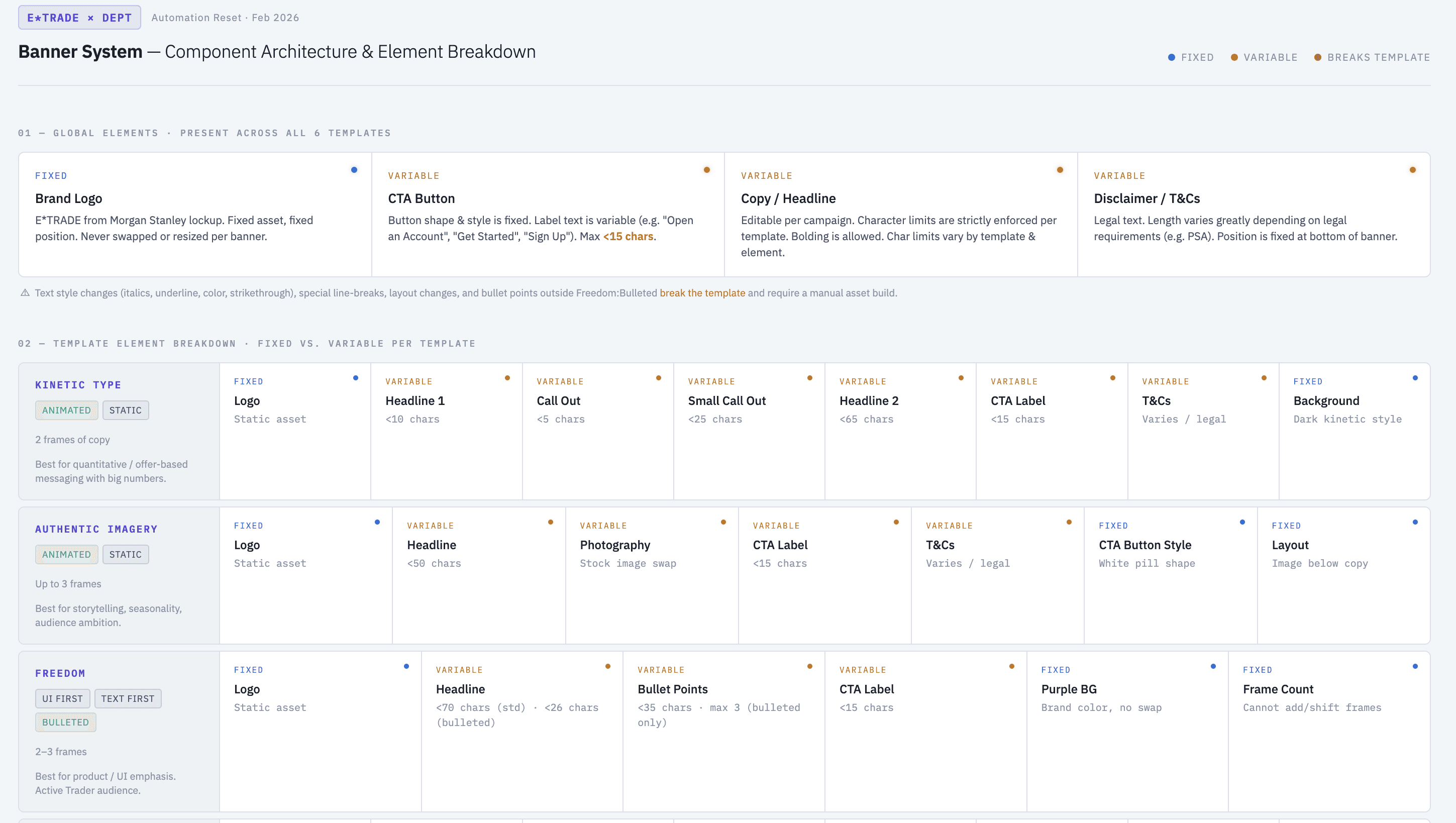
↑ Excerpt from the component architecture document
02 - ABSTRACT
Used an AI-assisted workflow to identify and systematize variables
The goal is to find the simplest solution that could achieve the highest creative quality. A system too complex doesn't get used — it gets abandoned.
03 - BUILD
Streamline the workflow from AE/Blender to Celtra
High-fidelity 3D and motion assets from Blender and After Effects had to be translated into lightweight, HTML/CSS/JS-driven templates on Celtra — preserving visual quality while optimizing for fast rendering.
The result: All the variables are connected to an external database
Before
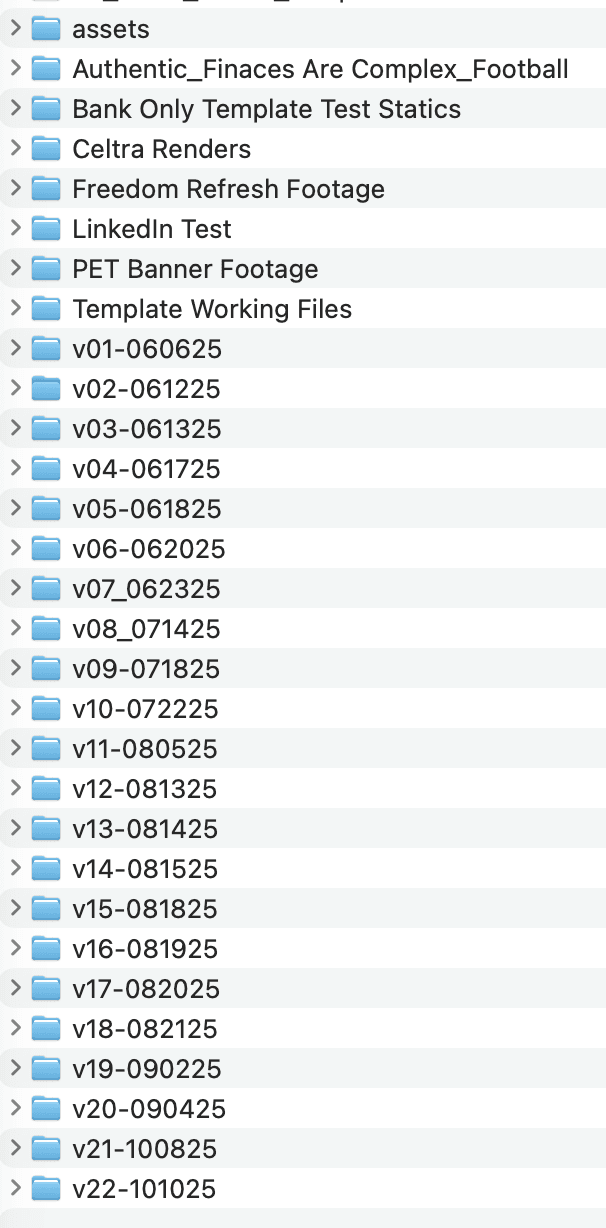
↑ Numerous working files that becomes impossible to navigate. In addition, the previous production model relied on After Effects for all iterations; any change to copy or imagery necessitated a manual rebuild across the entire size set.
Streamline the Process
Build out 3D and Motion Templates on Blender and After Effects
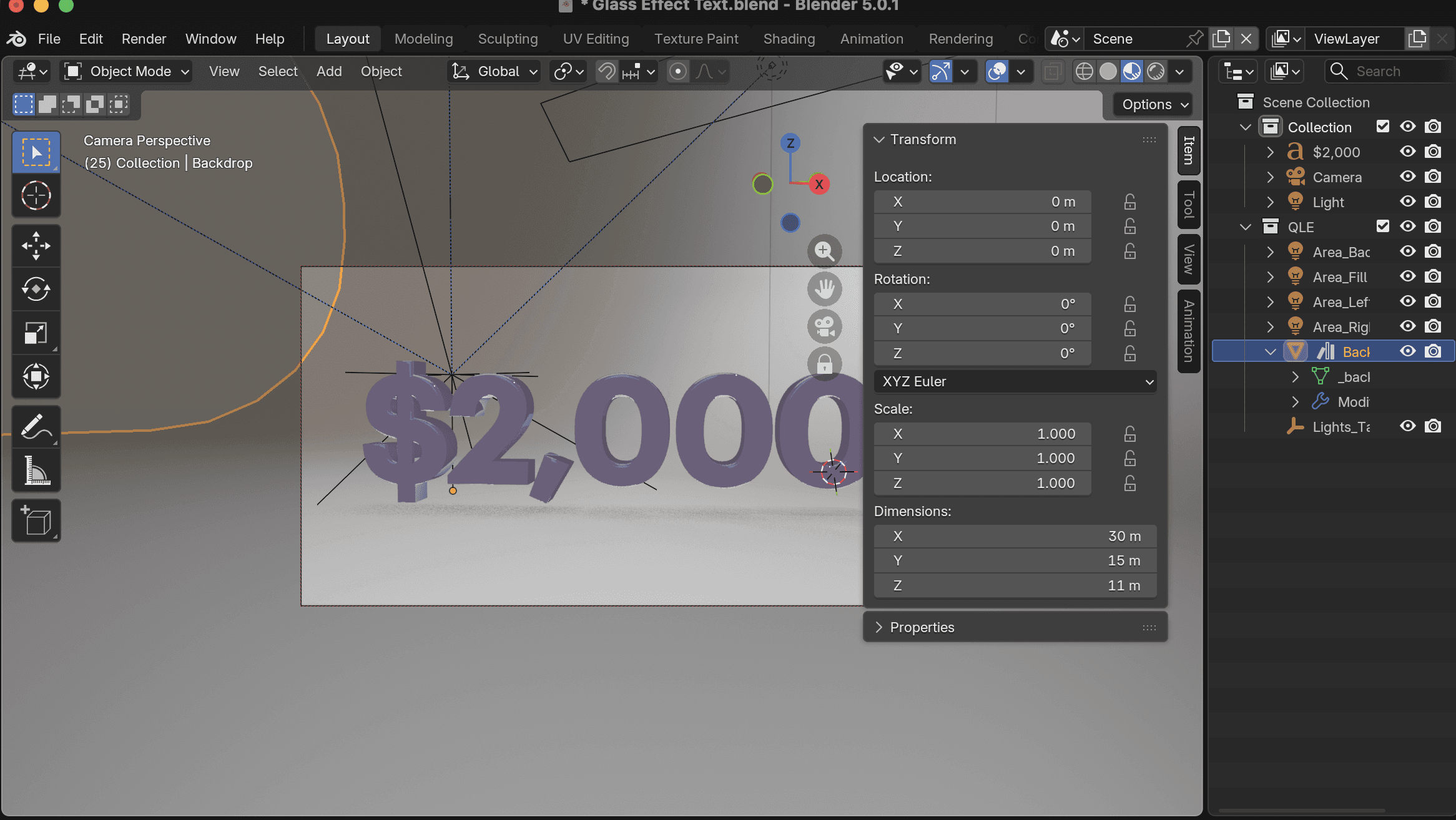
↑ Architected a unified 3D workflow and templated video animation in After Effect
→
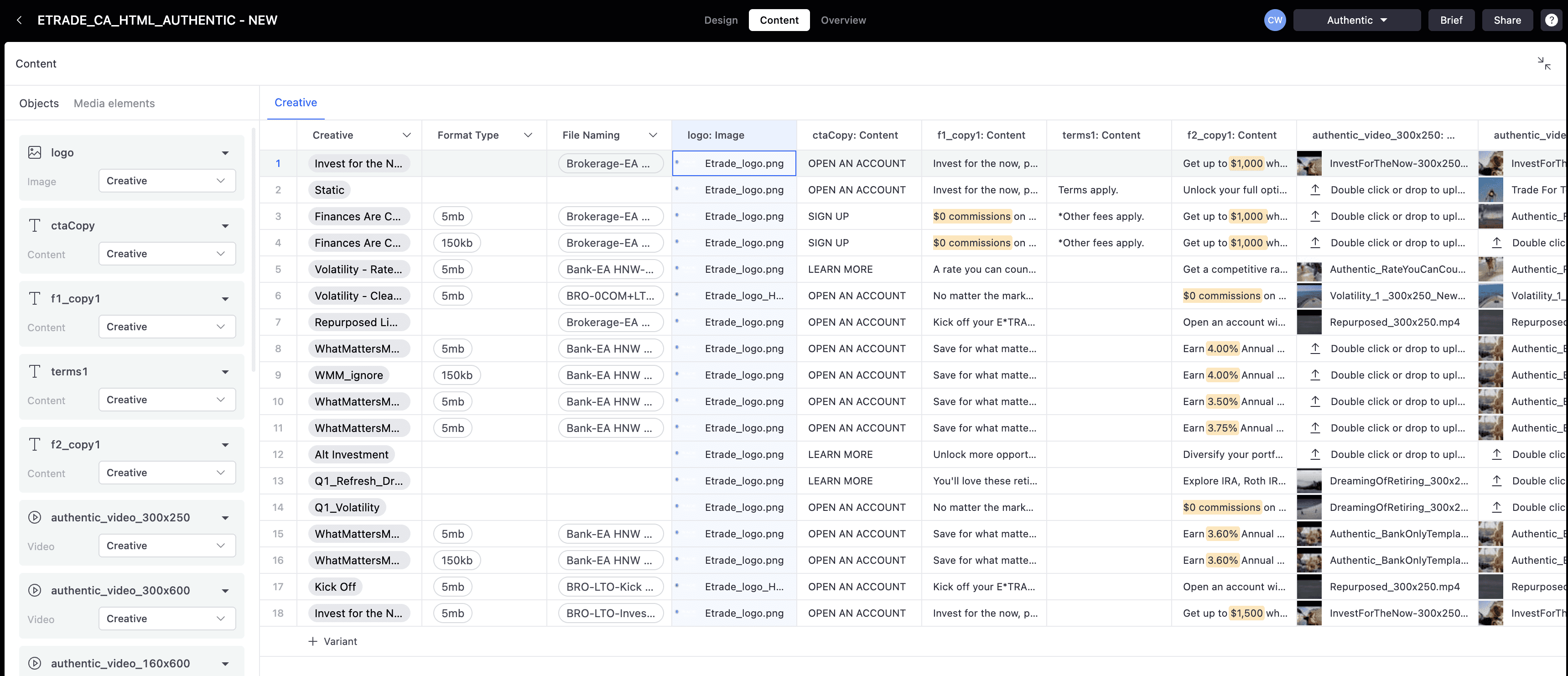
Data Input
Replaced manual entry with a dynamic workflow that pulls all creative variables directly from the database, significantly reducing production time and human error.
→
Automate
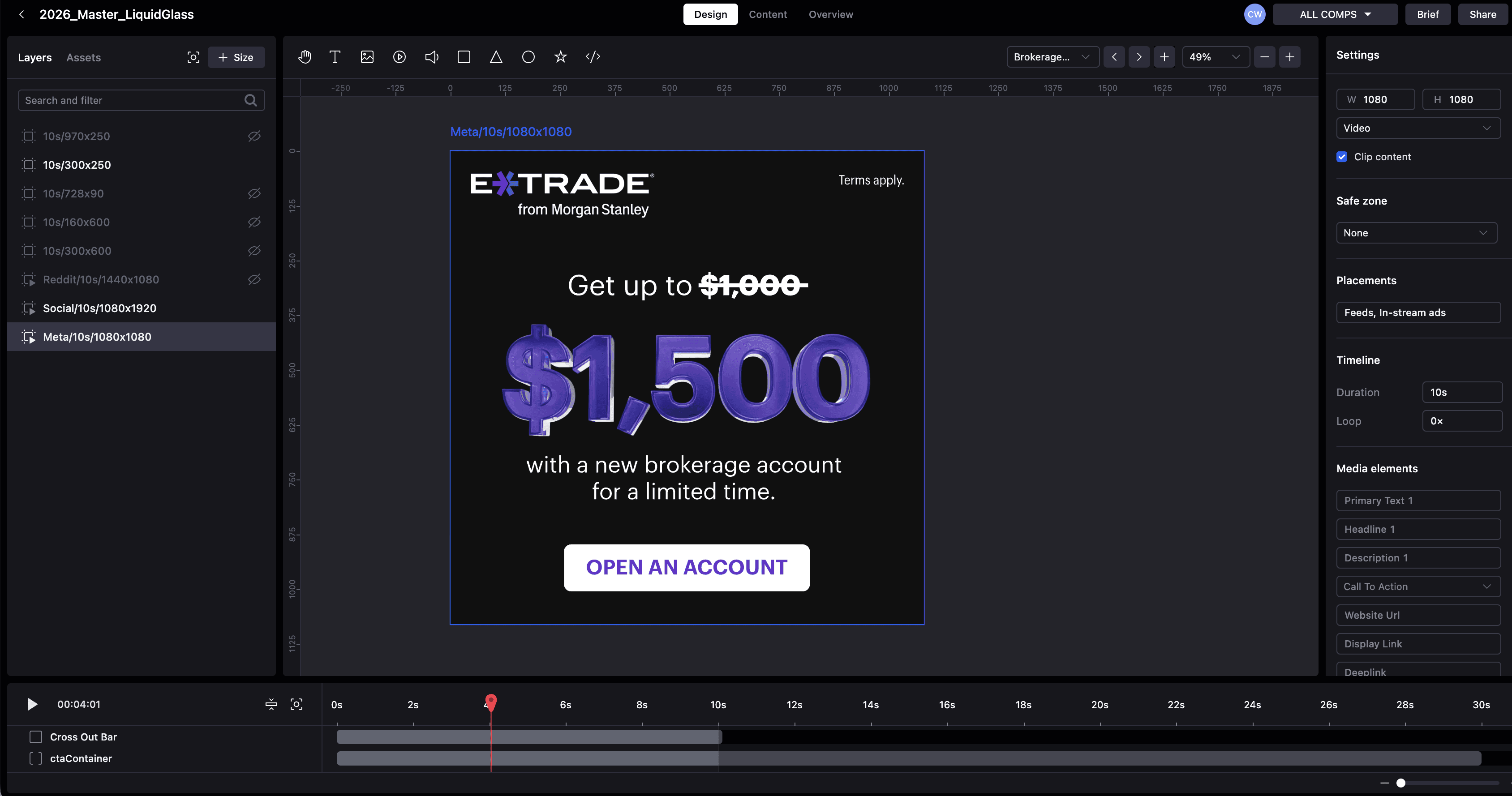
↑ Produce all the HTML packages and MP4 files in Celtra for different Platform
Export
↑ All variations built within Celtra.
04 - DOCUMENTATION
An asset library for everyone on the team — account managers, copywriters, designers, and technologists — hosted on Google Slides and Google Sheets.
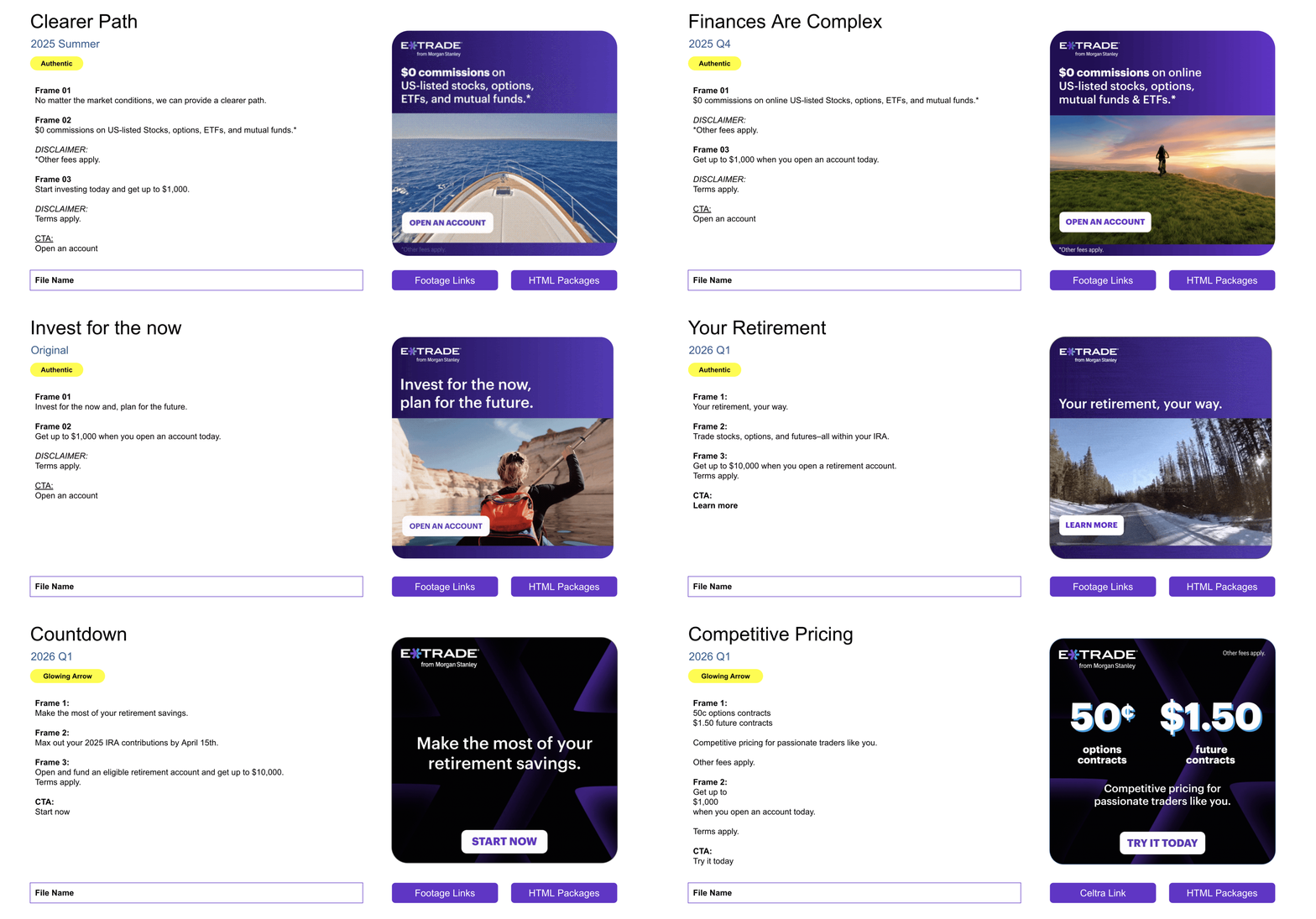
↑ The format was intentional: Google Slides holds images, text, and links in a single view with clear visual hierarchy. Non-designers can navigate and contribute without opening Figma.